Get started
Invite your team
Invite teammates and control what each person can do.
3 min read3 steps
- 1
Add a member
Click Add member, enter their name and email and choose a role: Admin, Agent or Viewer. They get access as soon as they sign in.
Add member button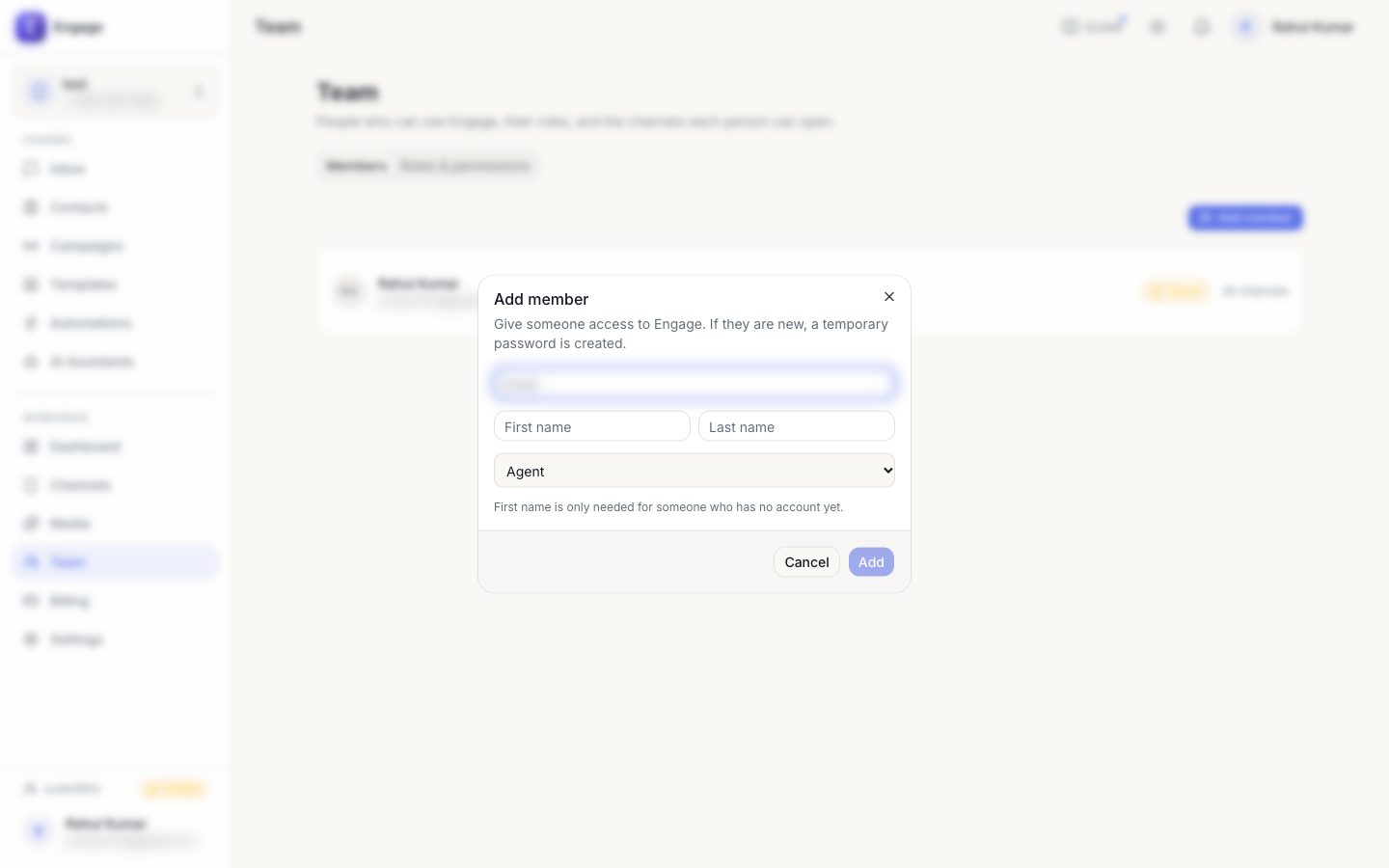
- 2
Create custom roles
In Roles, pick exactly which permissions a role has (reply, manage contacts, send campaigns…).
Roles & permissions tab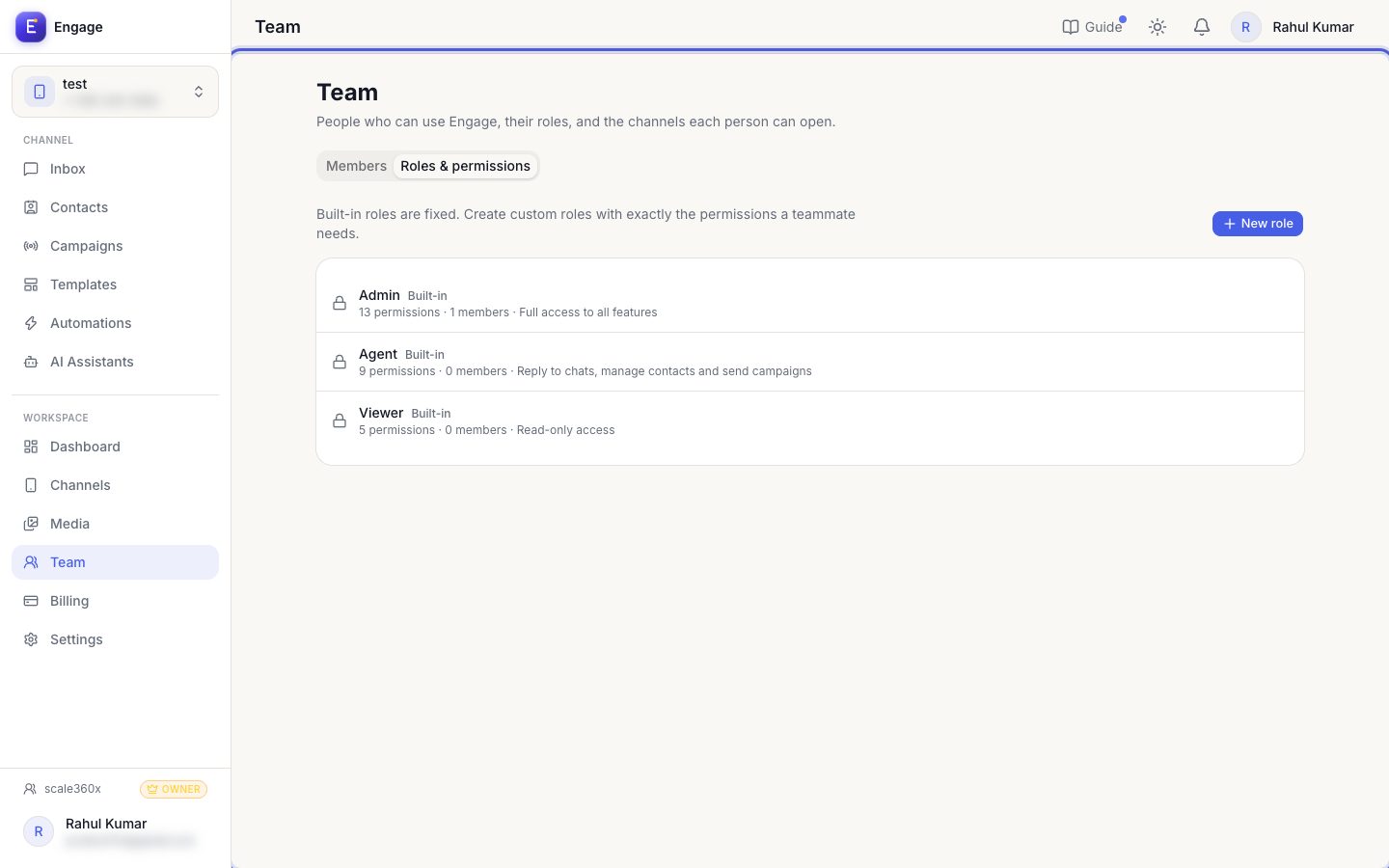
- 3
Change or remove
Change a role from the member's row, or remove them. Removal takes effect immediately.
Member row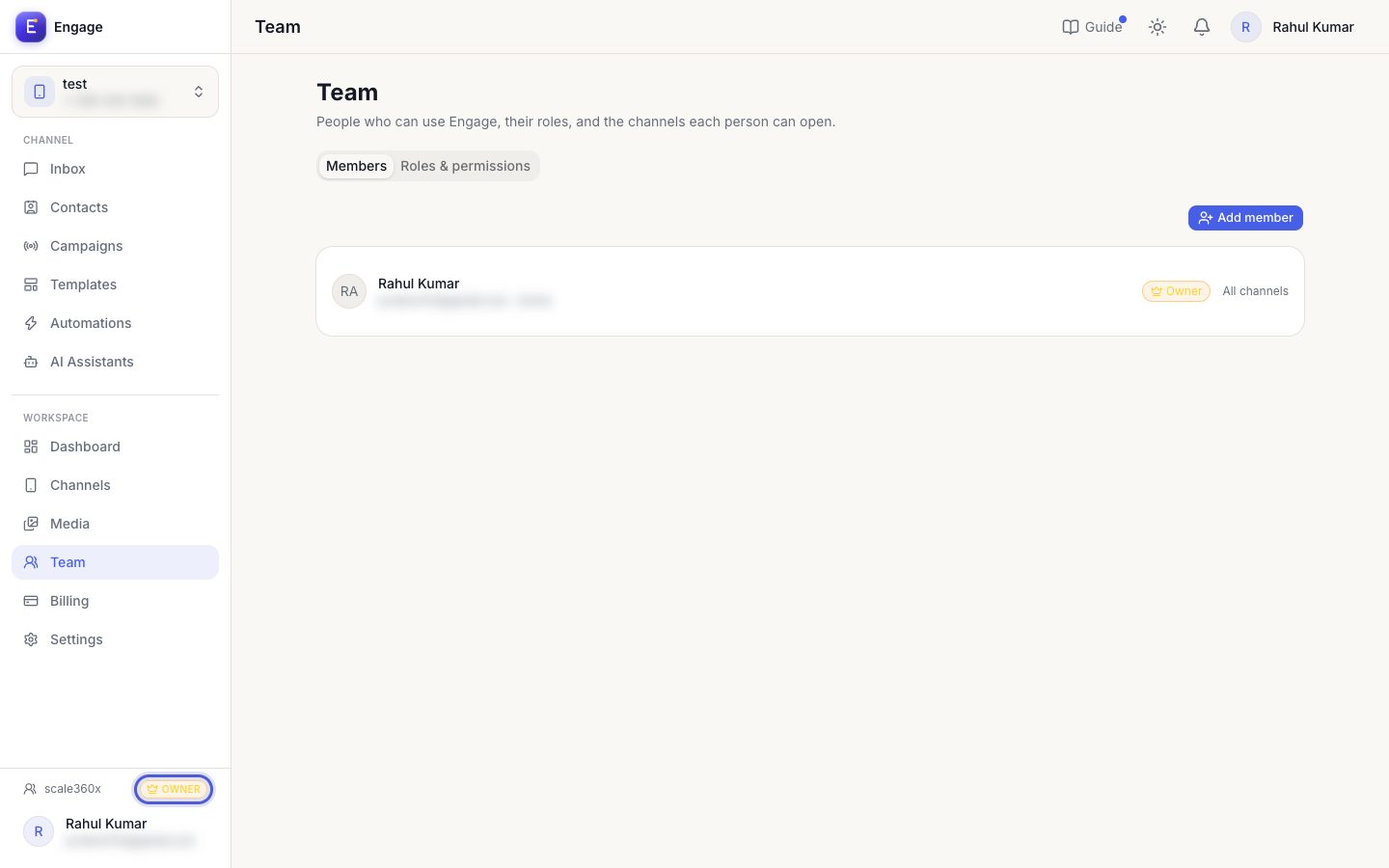
Pro tips
- Give agents the least access they need; only admins can delete conversations.
Common questions
I cannot invite more people.
You reached your plan's team-member limit. Add capacity in Billing.
Try it on your own WhatsApp number
Start a free trial, no card needed, and follow this guide inside the product.
Stuck, or no time? We will set this up for you.
Tell us what your business does. Our team designs the chatbots, connects your tools, gets your messages approved and trains your team. You only reply to the customers it hands to you.